Unified Inbox — Auto-Fetch + Context-Aware Draft Generation
At a glance
| Persona | Knowledge worker with too many inboxes — email, Slack, Telegram, iMessage |
| Goal | Stop re-reading every thread before replying |
| Prerequisites | Email + messaging connectors authorized; Memory has at least one previous exchange |
| Outcome | Grounded, context-aware drafts queued for approval in one unified inbox |
A knowledge worker with too many inboxes has 60 emails, 25 Slack DMs, 14 Telegram messages, and a few iMessage threads stacked up by mid-morning. Every reply used to start the same way: scroll back to "where did I last leave this thread," re-read 20–40 messages to remember the context, and only then write a response that didn't contradict what was said last week.
If three of these stack up in an hour, the context-loading cost exceeds the embarrassment of missing the reply. Shorter, more generic replies started getting drafted, just to be done with it. The replies went out, the relationships thinned, and they told themselves it was fine.
The user doesn't want another chatbot that waits to be asked. They want an AI assistant that genuinely fits a high-volume inbox day: it watches every channel continuously, organizes the thread context, and only surfaces the conversations that genuinely need a decision.
Problem: Re-reading every thread before every reply
The painful part of high-volume inbox work isn't the writing — it's the context-loading. The exchange used to go like this:
- Sarah emails about the Q3 status
- Slack is opened to check what was discussed Tuesday
- 40 messages are scrolled back through to remember what was decided
- Notes are checked for "was the Q3 deadline Thursday or Friday?"
- Sarah's email is re-read twice because contradicting something said last week is unacceptable
- Then the reply is written
If three of these stack up in an hour, the morning is gone. If seven stack up, threads start getting dropped — not on purpose, just because the context-loading cost exceeds the embarrassment of missing the reply.
In OpenLoomi: Unified inbox
OpenLoomi treats the same contact across channels as the same person. Sarah who emails Monday is the same Sarah who DMs on Slack Thursday — one shared history, one context, no matter which app the message came in on.
When an inbound from an important contact arrives with an action word — "RSVP", "please confirm", "reply", "get back to me" — and it's been sitting past a few hours, OpenLoomi surfaces it as a ready-to-review reply. Each one comes with:
- The email reply — already written, grounded in what Sarah and the user have discussed before
- A short explanation of why it needs attention — "Sarah is bumping the Q3 timeline — Thursday is close, she wants it locked today"
- Simple actions: Approve, Edit Draft, Later, or Skip
For an email, the draft shows up as a ready-to-send email — sender, subject, and the reasoning behind why it matters.
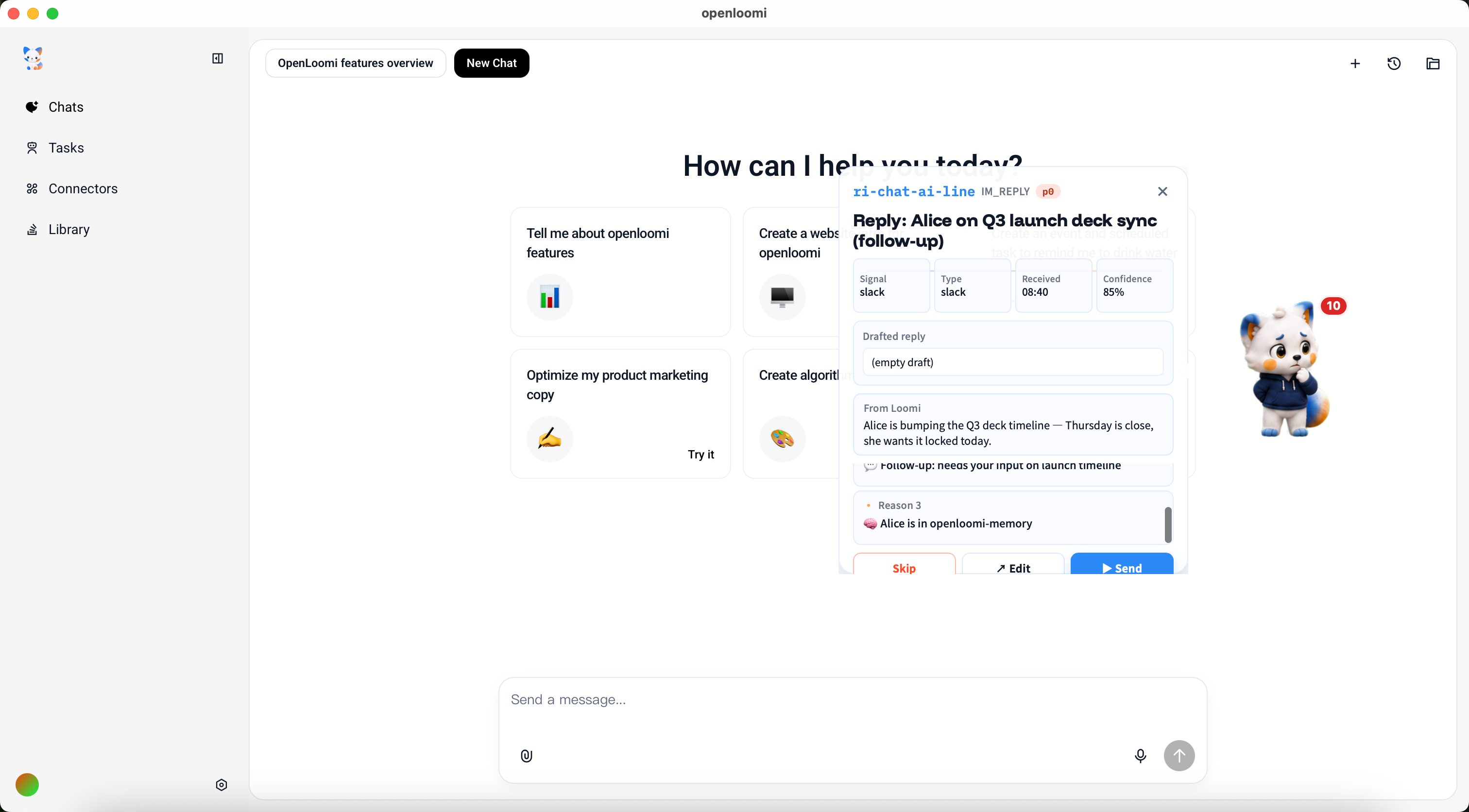
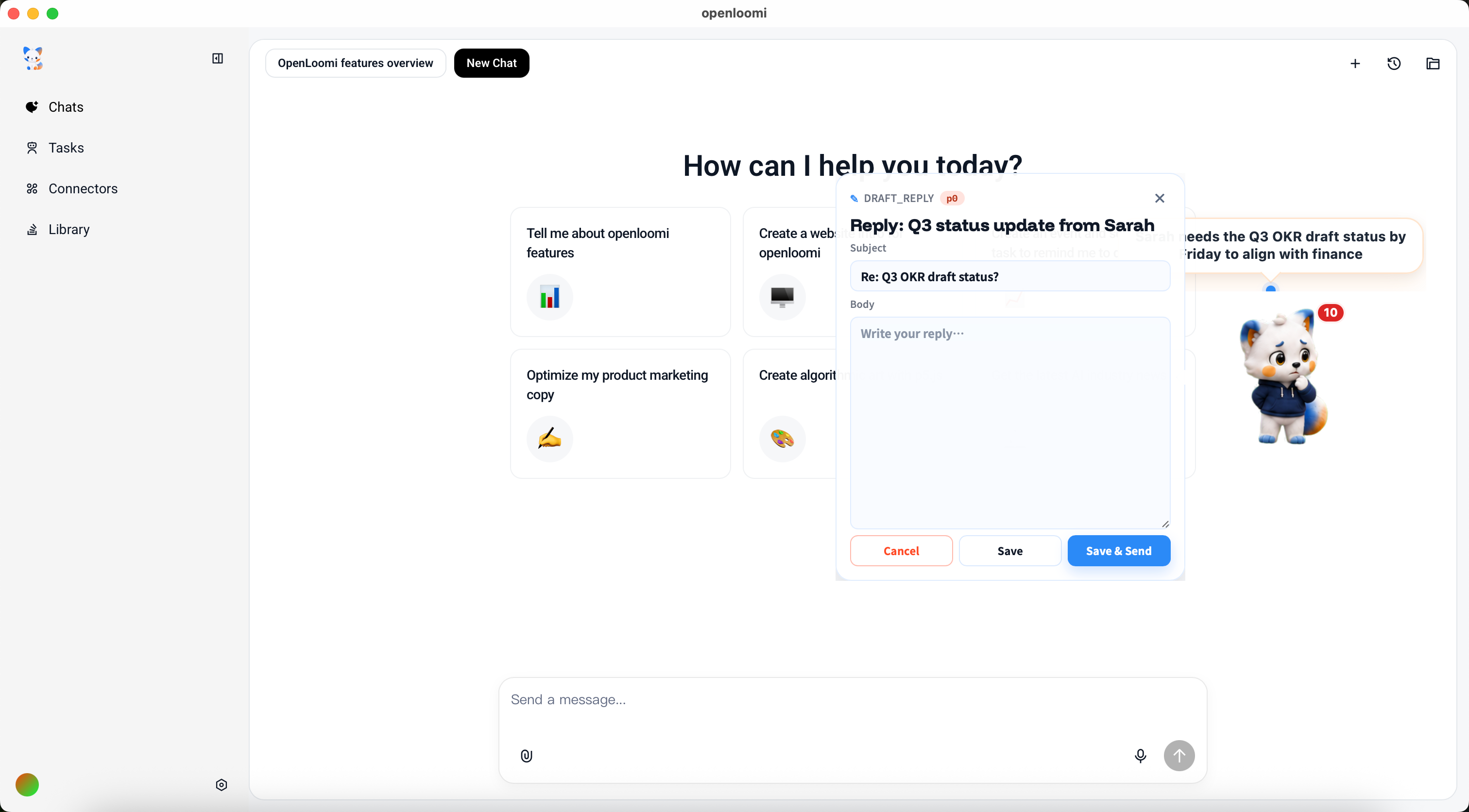
Edit Draft opens a full composer with the Subject and Body pre-filled. It can be rewritten, saved, or sent with Approve & Send — nothing goes out without an explicit approval.
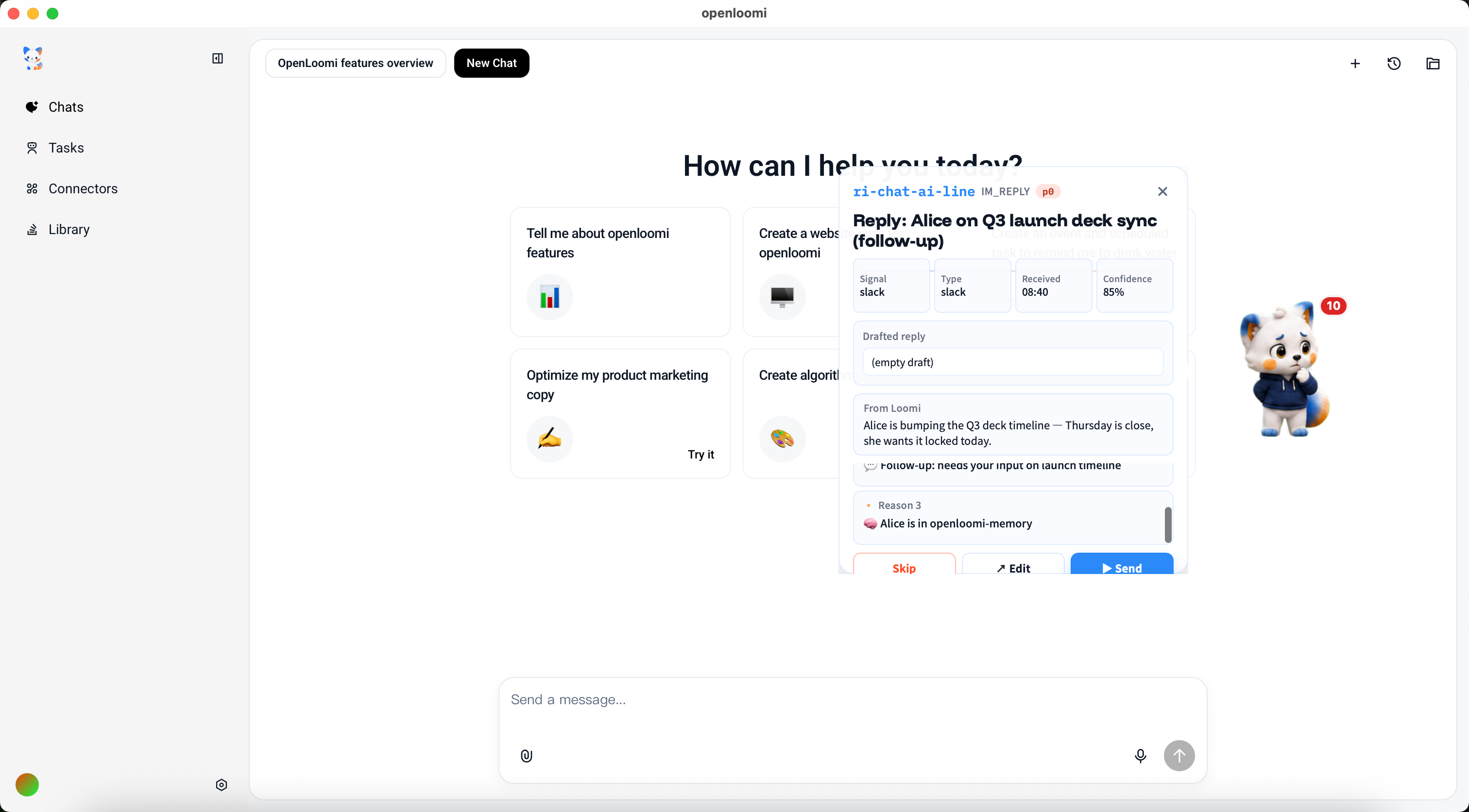
For Slack, Telegram, Lark, or iMessage, the same thing happens — a drafted message reply with the recipient and the message body pre-filled, tuned to that channel.
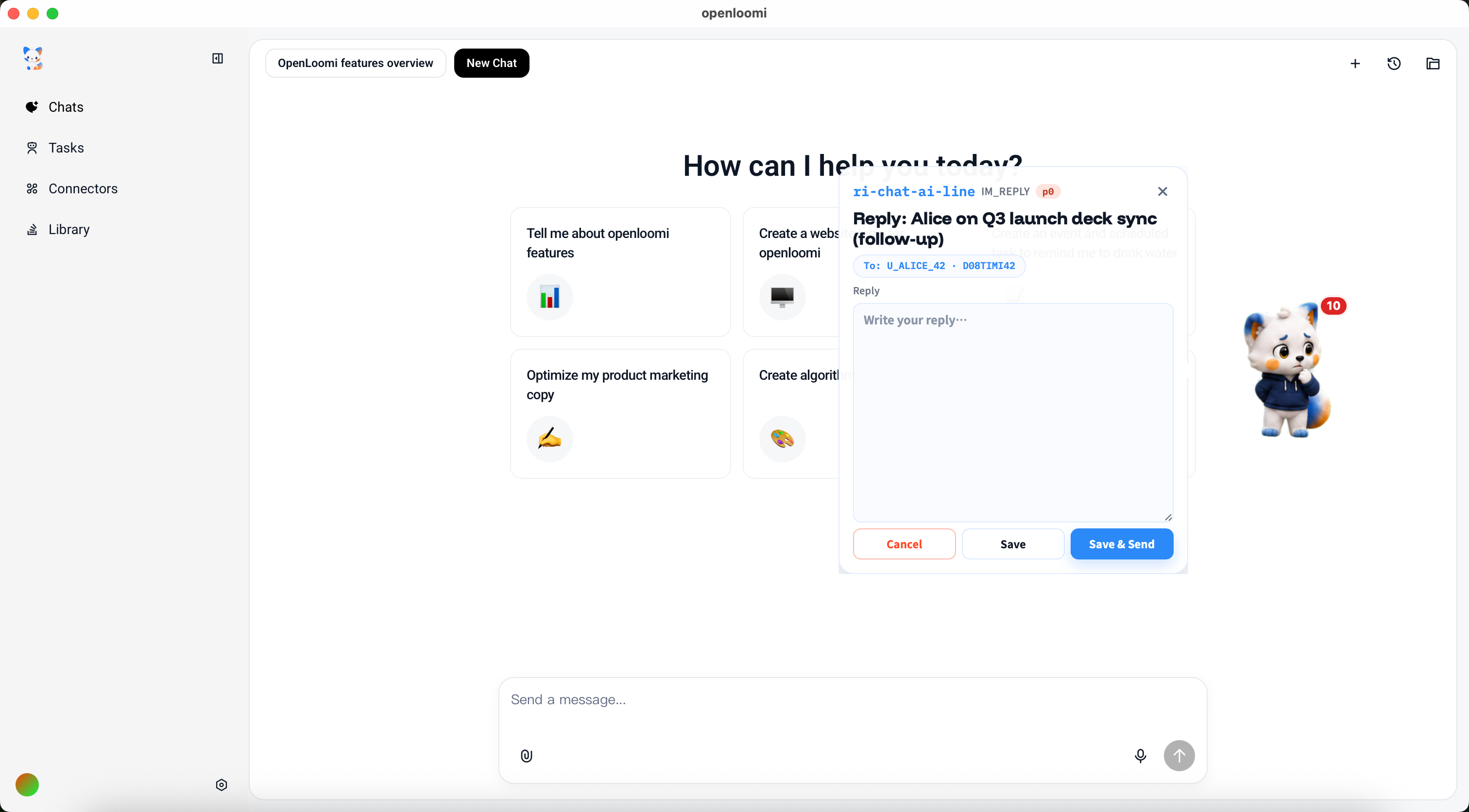
Edit Draft opens the same kind of composer, tuned for chat:
Approve sends it through the right channel and remembers the outcome. Later parks it for the next focus block, so nothing falls through the cracks. Skip dismisses it — and the same kind of message won't keep re-surfacing.
What this workflow really solves isn't a few automation tasks
At first the goal was just to save the 20 minutes per reply being spent re-reading threads. But after a few weeks, the realization hit: the real problem isn't a few missing automation scripts — it's that inbox work is fundamentally a context-organization problem:
- Threads live in four different tools
- The same person appears in all of them, with the same context that has to be reloaded each time
- The messages that actually need action are buried under 200 that don't
- By the time "the one that mattered" is reached, half the attention has already been spent on the rest
In the past, all this context had to be found and pieced together by actively scrolling. The change OpenLoomi brings is inverting that relationship: instead of constantly re-reading threads, the AI keeps watching the conversations and comes back with a ready draft at the right moment.
- If an important contact writes back, the email reply lands with the full context ready.
- If a DM needs a reply, the draft carries the channel context too.
- If nothing needs attention overnight, the morning brief says so and the day starts with work instead of triage.
All that's needed is to focus on the parts that genuinely need judgement — the actual message content, the personal voice, the right tone for the audience.
From "email triage" to a continuously running inbox loop
Two kinds of working patterns keep this running.
One is event-driven:
| Trigger | What happens |
|---|---|
| Inbound email from an important contact that's been sitting | A drafted reply surfaces, ready to approve, edit, defer, or skip |
| Inbound DM (Slack / Telegram / Lark / iMessage) needing a reply | A drafted reply with the channel context, same simple flow |
The other is scheduled:
| Task | Schedule | Purpose |
|---|---|---|
| Today's To-Do (Brief) | Every day at 9 AM | Today's calendar + the replies waiting on a decision + who's likely to come up |
| Today's Done (Wrap) | Every day at 6 PM | What got handled today + what got parked for tomorrow |
Together they form a loop that runs continuously across every channel:
Continuously watch → Organize thread context → Propose a grounded draft → Human decides → Send and rememberThe morning brief and evening wrap are the bookends; the queue runs in between. Rather than configuring an isolated workflow for each channel, OpenLoomi keeps understanding "which of the conversations actually needs a reply right now."
💡 Auto-send is not in this loop. Every drafted reply waits for an explicit Approve. Nothing is sent without a tap, and the draft is always shown before anything goes out.
What changed
| Aspect | Before | After |
|---|---|---|
| Reply review time | 10–15 min per thread re-reading to recall context | Read the drafted reply with its explanation, then Approve |
| Cross-channel context | Switch tools for Slack vs email vs iMessage; lose context each time | One unified queue — the same drafted-reply flow, every channel |
| Sender awareness | Re-explain who Sarah is, what project this is, what was decided last time | The draft already carries who they are, the project, and prior decisions |
| Control | Full auto-send (risky) or no AI at all (manual only) | The draft is shown, the Approve gate stays, every single time |
| End-of-day mental load | Sift through "did I reply to that?" at 6 PM | The evening wrap shows what got handled today |
What OpenLoomi saves isn't just the 20 minutes per reply. More importantly, there's no need to keep switching inboxes, re-reading threads, and worrying about which contact was dropped.
How to set this up
The "unified inbox" is just each platform connected once. It works in OpenLoomi Desktop, the Claude plugin, or the Codex plugin — the connectors are set up in chat, one per account:
use openloomi-connectors to connect Gmail
use openloomi-connectors to connect Slack
use openloomi-connectors to connect iMessage
Not every platform needs to be connected — only the ones actually read. Connecting a channel starts watching it; turning it off stops. Accounts can always be added or removed later.
Once everything shows as connected, OpenLoomi starts picking up new messages automatically. How often it checks — and how often it interrupts with a bubble — can both be tuned in Settings.
💡 Once connected, OpenLoomi can also be chatted with about any message — a specific thread can be asked about, a long back-and-forth summarized, or details from any message in the unified inbox pulled. The answer is grounded in the same shared context.
Every action is recorded — how many times messages were checked, which drafts surfaced, which were approved, which were edited. This way inbox triage can be handed off to AI while every action it took remains visible.
Related
- Connectors — wiring up email + messaging platforms
- Memory — the cross-thread context drafts are grounded in
- Loop — turns inbox signals into reply drafts
- Chat — where you can refine a draft before approving
- Privacy & Security — what the inbox connectors can see
Engineering Daily Sync
How an engineering lead stops rewriting dev reports every night and lets OpenLoomi keep the Loop running
Product-Research Iteration — Plan the next sprint automatically
How a PM stops stitching the next sprint together from memory and lets Loop fold Linear, GitHub, screen memory, and Obsidian into one queue