Loop
When your day starts, the question you actually want answered isn't "how many unread emails do I have?" — it's "what do I personally need to handle today?" Loop exists to answer that question.
It pulls signals scattered across your apps (new emails, invitations, PR comments, @mentions, Linear tickets), prioritises them, and lays them out as decision cards in front of you. From there, all you do is glance and click.
Loop is OpenLoomi's proactive execution engine. Every 10 minutes it runs a quiet tick, sifts through your inbox, calendar, code, and chats for things tied to you, and surfaces only the items that genuinely need your personal decision — as decision cards. You glance at the preview, decide it looks right, hit Approve, and Loop executes on your behalf.
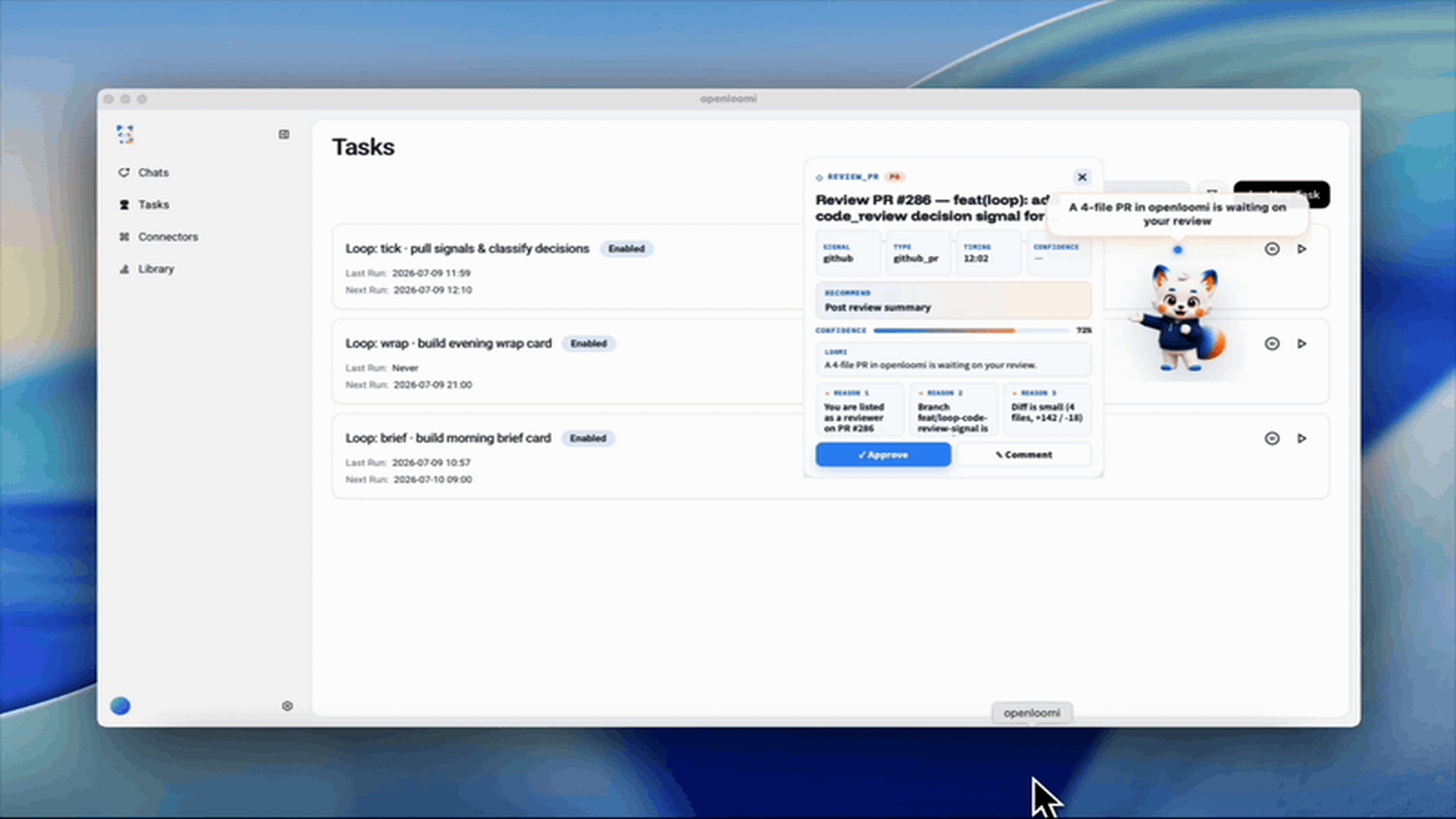
Overview
Loop is not a scheduled task, not an email reminder, and not a cron script. It's the judgement engine OpenLoomi keeps running in the background:
- 🔎 See — Every 10 minutes, fetch signals related to you from email / calendar / GitHub / Slack / Linear
- 🧠 Understand — Enrich each signal with OpenLoomi memory (who's the sender, what project is this, what did we last discuss)
- 🪪 Judge — Assign a typed action (
email_reply,rsvp,review_pr,im_reply,todo) and a confidence score (0.60 – 0.85) - 🃏 Present — Turn each one into a decision card, queue it for you
- 🛡️ Protect — Dry-run always leads; execution always waits for your Approve
The default is one tick every 10 minutes — quiet and out of your way. Bump it to 5 minutes for sharper signal, or 30 minutes for a calmer desk.
How Loop Reads and Writes Memory
Every judgement Loop makes has two sides: a memory read before, and a memory write after. This is the core loop, and it runs through the openloomi-memory skill on every tick. The 🧠 Understand verb from the Overview isn't magic — it's this contract, executed deterministically.
The Read → Judge → Write contract
| When | Direction | What Loop does |
|---|---|---|
| At tick start (per signal) | 🔍 Read | Queries the relevant slice of your ~/.openloomi/data/memory/ for the sender's profile, project ties, past decisions, and similar signals Loop has judged before |
| At judge time | 🪪 Judge | Combines the signal + the memory slice + any registered classifier rules to assign a typed action and a confidence score |
| After you tap Approve / Send | 💾 Write | Records the outcome — sender, project, decision you made, any new entities surfaced — so the next tick to this contact / project has sharper context |
| On Dismiss / Skip | 💾 Write | Records the dismissal with a skippedByUser provenance field, so Loop doesn't re-surface the same kind of decision the next 3 ticks |
What lives in memory
Under ~/.openloomi/data/memory/:
| Subdirectory | Loop reads | Loop writes |
|---|---|---|
people/ | Sender profile — name, role, project ties, last interaction summary | New contact after the first interaction; profile update after every send |
projects/ | Project note for the thread / PR / ticket at hand | New project note after the first signal of a project; thread-cluster updates |
insights/ | Past decisions, similar signals, conflict patterns | Auto-extracted entities / decisions / events distilled from each executed card |
channels/ | Per-platform state — last sync time, missed signals, conversation state | Updated after each tick so the next poll doesn't re-fetch what just arrived |
strategy/ | Long-term preferences — trusted contacts, risky-area thresholds, voice style | One-time write at onboarding; periodic updates when you change Settings → Loop |
You don't curate any of this. The memory layer runs a daily analytics refresh (surfaces the contacts and projects you actually engage with) and a weekly compaction (archives stale entries, never deletes — so context never silently disappears). What Loop reads at tick time is always the relevant slice, never the whole graph — so it stays fast even after years of accumulation.
Per-card-type memory hooks
Each card type has a specific memory contract. Loop picks these automatically based on the ActionKind:
| Card type | Reads from memory | Writes to memory |
|---|---|---|
email_reply | Sender profile, related project note, prior decisions in this thread cluster | Updated thread cluster, project association, sender note |
im_reply | Sender profile, channel state, last 3 context messages | Channel state, conversation summary |
rsvp | Calendar attendee profile, prior RSVP patterns | RSVP decision with reason |
review_pr | PR author's profile, file history, related issues | PR review summary, risky-area flags |
todo | Project state, prior similar tasks | Task addition with project context |
brief / wrap | Open decisions, today's contacts, project rollups | Daily-recap entries to insights/ |
birthday_wish (custom) | Contact birthday date, gift preferences, prior birthday interactions | Birthday interaction log |
💡 When you register a custom decision type via
PUT /api/loop/types, Loop auto-derives sensible memory hooks from theactionKindand signal shape. If your type reads but doesn't write, Loop warns at registration time ("this type will leak context"); if it writes but doesn't read, Loop warns at first tick ("you're writing to memory without grounding — was that intentional?"). The full registry contract is in Extending Loop below.
One memory, every surface
The same memory layer feeds all three Loop surfaces — they're different lenses on the same underlying state:
- Daily Brief (9 AM,
/brief) — pulls today's calendar + open decision cards + contacts Loop knows you'll be interacting with today - Evening Wrap (6 PM,
/wrap) — reads what was executed today, writes a recap of the day's decisions back toinsights/so next week's "this week vs last week" rollup is just a query
💡 Memory is per-user, stored locally in
~/.openloomi/data/memory/. There's no central registry, no sync, no RBAC. To seed memory on a new machine, copy the directory over SSH — that's it.
Typical Scenarios
An email that needs a reply
9:12 AM, Sarah writes: "Hi — I tweaked tomorrow's Q2 review agenda, can you take a look? Also, I'd like to move our Wednesday 1:1 to Thursday same time — works for you?"
Loop sees the email:
- Pulls OpenLoomi memory → Sarah is a product partner you've worked with for 2 years, 47 prior interactions
- Detects "tweaked agenda", "move it to" → classifies as
email_reply - Confidence 0.85 (known contact)
- Generates a decision card in the queue:
┌────────────────────────────────────────────────────────┐
│ ✉  email_reply  ·  conf 0.85                dec_a3f2   │
├────────────────────────────────────────────────────────┤
│ 🕐 2 min ago  ·  📧 Sarah Chen <sarah@acme.com>         │
│ Subject: Q2 review agenda + 1:1 reschedule              │
│                                                         │
│ 👤 Sarah (product, 2 yrs · 47 prior interactions)       │
│ 🧠 memory: projects/q2_review.md (her last note re Wed) │
│                                                         │
│ Draft: Agenda tweaks confirmed; 1:1 moving to Thursday  │
│        same time works for me.                          │
│                                                         │
│ [▶ APPROVE & SEND]  [📝 EDIT DRAFT]  [⏸ LATER]  [✕ SKIP]│
└────────────────────────────────────────────────────────┘
You tap Approve & Send. The email goes out, Loop moves this decision to done, and writes the interaction back into OpenLoomi memory — so next time Sarah emails, the context is even richer.
An unanswered meeting invitation
1:30 PM, tomorrow's meeting invite from Maya is still sitting in your calendar, unanswered.
Loop surfaces an rsvp decision card, pre-loads Maya's last three related notes, and defaults to "Accept" (since you and Maya interact frequently in memory). One tap, you're RSVPed.
A Slack message that @mentions you
4:15 PM, someone in the engineering channel pings you: "@you, is this PR already on staging?"
Loop sees the @mention, recognises the sender as a frequent collaborator → pushes a im_reply card with the previous three context messages pre-loaded.
A GitHub Issue assigned to you
8:50 PM, Issue #203 in
acme/apigets assigned to you.
Loop pushes a todo card — title, labels, latest discussion all visible at a glance. You pick "handle now" or "tomorrow".
Two Daily Briefings
Beyond pushing cards as they appear, Loop generates two scheduled digests:
☀️ 9:00 AM — Today's To-Do
Rolls up everything that definitely needs your personal attention today and delivers the list to your Attention Agent (Loomi) and the Today panel in the main OpenLoomi window:
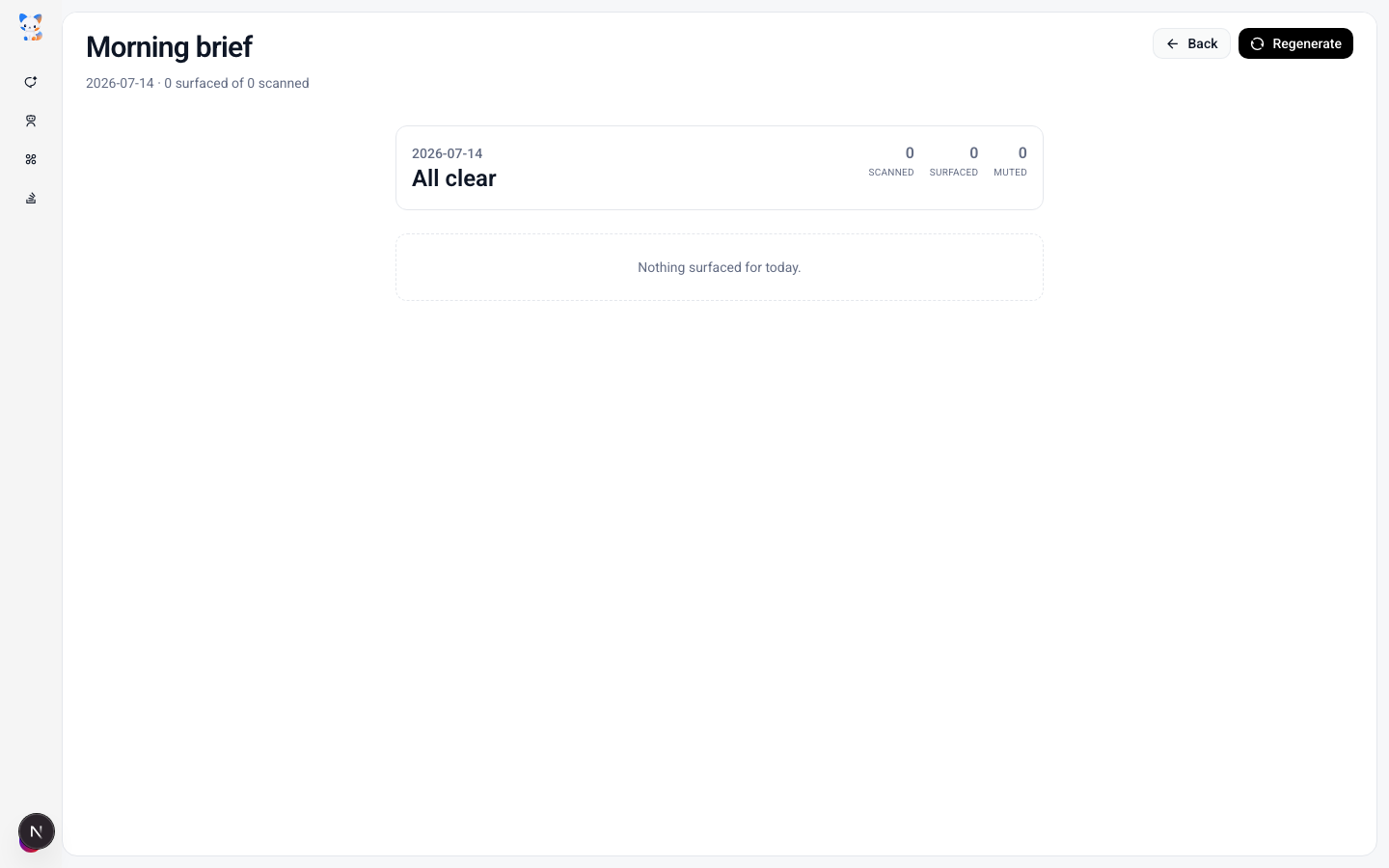
- 10 AM customer call — you haven't read the meeting brief yet (Loop has a 1-pager ready)
- Sarah's agenda tweak needs a reply (Loop has the draft)
- 2 PRs waiting for your review
- 8 PM — partner's birthday, don't forget the flowers (Loop surfaced this from memory)
🌙 6:00 PM — Today's Done
Lists what Loop already handled for you today, so your mental inbox is empty:
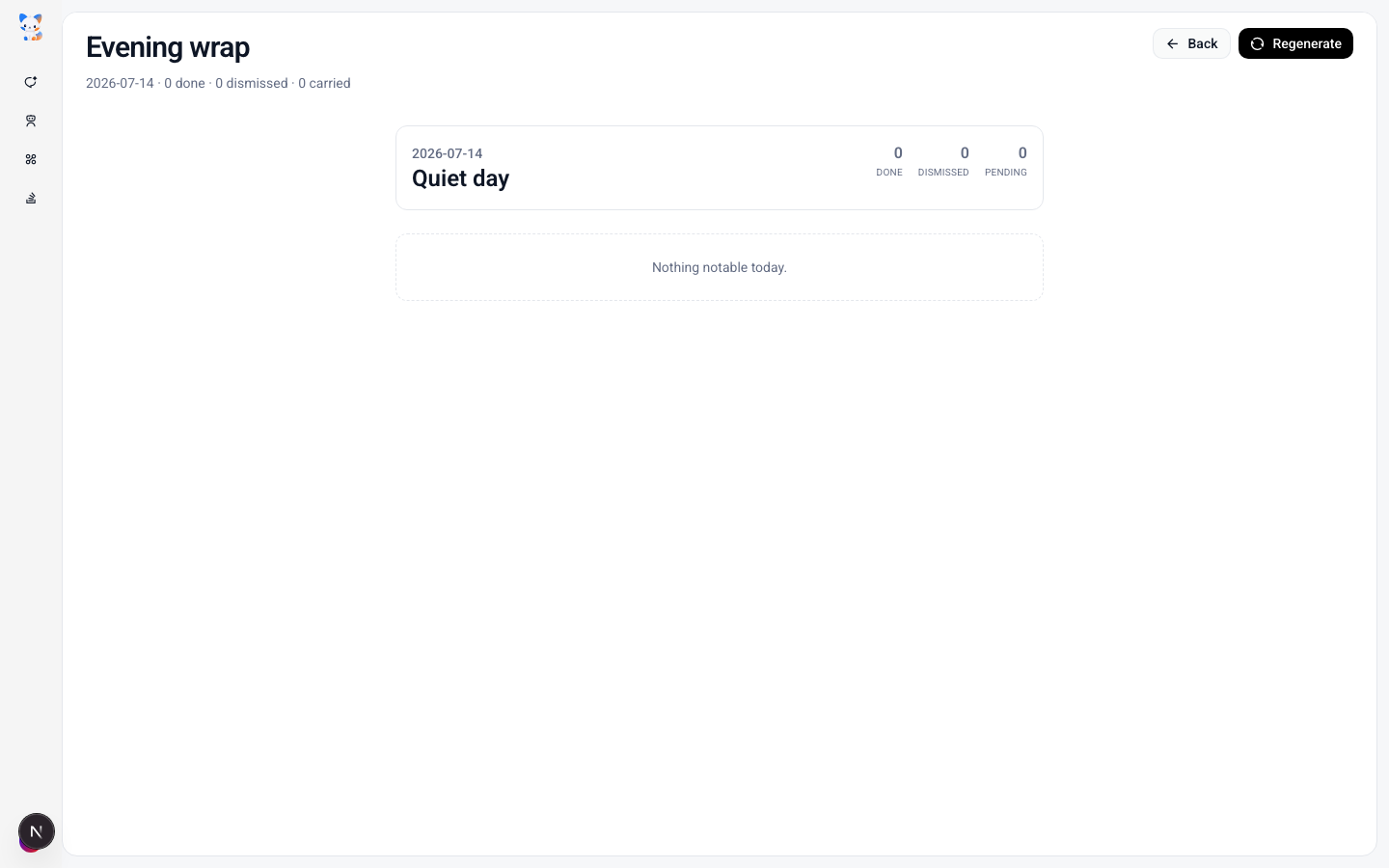
- ✅ 3 emails sent this morning (drafts from Loop)
- ✅ 2 meeting invites RSVPed
- ✅ 1 Linear ticket status updated
- ✅ Reply sent to Sarah; she has read it
Dry-Run Protection
Loop will never, ever act on its own before you tap Approve.
Every decision card goes through dry-run first — "what would happen if I executed this now?". Concretely:
| Step | What Dry-run Does |
|---|---|
| Pull a decision | Loop lays the proposed action out on the card, fully visible to you |
| Check side effects | Any action that sends mail / posts a comment is flagged with a red "⚠ OUTBOUND" |
| Wait for approval | No outbound action happens until you tap Approve |
| Execute after OK | Loop calls the matching OpenLoomi connector and actually sends |
| Write back memory | Result is written into OpenLoomi memory so future context is sharper |
💡 If Loop pushes a card and you ignore it for 5 minutes, it auto-retreats into "Later" — your queue never piles up.
How to Enable / Tune It
Loop is on by default, scanning every 10 minutes. To tune it:
- Open the main OpenLoomi window → Settings → Loop
- You can adjust:
- Scan frequency — 5 / 10 / 30 minutes
- Sources — Email / Calendar / GitHub / Slack / Linear (each individually toggleable)
- Morning briefing time — default 09:00
- Evening recap time — default 18:00
- Trusted contacts — which "important contacts" always feed the queue (default: people appearing ≥ 3 times in OpenLoomi memory)
If you're new to Loop:
- For the first 3 days, keep defaults and actually look at what Loop surfaces (don't ignore it)
- On day 3+, tune your trusted list and source toggles based on which cards felt useful vs. noise
- After a week, Loop's hit rate climbs noticeably — OpenLoomi memory has accumulated enough "who you are and what you do"
Extending Loop: Custom Types & Channels
Out of the box, Loop ships with five built-in sources (Email / Calendar / GitHub / Slack / Linear) and a closed set of typed actions (email_reply, rsvp, review_pr, im_reply, todo, …). For most users that's enough — but if you live inside other tools (Stripe, Notion, Linear, GitLab, internal CRMs, …) and want Loop to surface decisions from those, you can register your own types and channels without touching the source.
Loop exposes three extension points, both per-user and persisted in your local OpenLoomi home directory:
| You want to… | Register a… | Stored in |
|---|---|---|
Add a new kind of decision card with a custom label and icon (e.g. birthday_wish, pr_followup) | Custom decision type | ~/.openloomi/loop/custom-types.json |
| Pull signals from a new data source Loop doesn't ship with (e.g. Stripe charges, Linear reviews) | Custom channel | ~/.openloomi/loop/custom-channels.json |
Pin routing for specific signal patterns so the LLM's classification can't drift (e.g. "any same-day birthday is always birthday_wish") | Classifier rule | ~/.openloomi/loop/classifier-rules.json |
What you can extend (without touching the source)
| ✅ Extensible | How |
|---|---|
| Card label, icon, description on a decision | PUT /api/loop/types — your custom label and icon flow into the UI automatically |
| Mapping a new card type to an existing action | Set actionKind to any of the 14 built-in runners (see list below) |
| New signal sources, as long as Composio has a toolkit for them | PUT /api/loop/channels — wrap any existing Composio toolkit + toolSlug |
| Per-channel poll cadence | pollIntervalSec on each channel (≥ 60 s; throttled independently per channel) |
| Deterministic routing overrides | PUT /api/loop/classifier-rules — pin type / actionKind / a confidence floor |
| Per-channel signal shape hints so the LLM classifies correctly | payloadShape and eventFilter on the channel record |
| Storage location and sharing | JSON files live under ~/.openloomi/loop/ — copy to another machine to share |
| Runtime tuning | Scan frequency, sources on/off, briefing times, trusted contacts (Settings → Loop) |
What you cannot extend (these need a code change)
| ❌ Not extensible via the registry | Why |
|---|---|
| The action runner itself | The executor is a switch over a closed set of 14 ActionKind literals (email_reply, im_reply, calendar_rsvp, github_review, linear_review, todo, deadline_notify, release_plan, requirement_synthesis, contact_update, doc_update, brief, wrap, quiet_digest). Adding a new runner — e.g. one that opens a Postgres connection or runs a shell command — requires shipping a new branch of that switch and a release. |
| A new polling runtime that isn't Composio | Custom channels must wrap a Composio toolkit + toolSlug. There's no plugin slot for "bring your own HTTP poller", "watch a local file", "tail a webhook", or "subscribe to a websocket" — those require code changes to the watcher in loop.watch.*. |
| Arbitrary code in classifier predicates | Rules are a safe AST with a closed op set (eq, neq, gt, lt, gte, lte, contains, startsWith, endsWith, matches, exists, absent). No eval, no JS, no function calls, no arithmetic, no cross-field joins — a rule can't say "compute days_until_next from birthday_date". |
| Custom decision-type ids that collide with built-ins | Your id must not collide with the 16 built-in DecisionType values (email_reply, rsvp, review_pr, im_reply, todo, …). snake_case, 2–41 chars. |
| Workspace-level / team-wide extensions | Scope is per-user, stored locally in ~/.openloomi/loop/. No central registry, no sync, no RBAC. To share, you copy the JSON file. |
| Re-ordering classifier rules via the API | Rules are first-match-wins in insertion order. There's no PATCH /order — to re-prioritise, delete and re-insert. |
| Bypassing the human-in-the-loop gate | Auto-execute is gated behind Settings → Loop → Automation Rules (off by default), and only on card types whose actionKind is in the built-in runner set. Custom types inherit the same gate; there's no API to mark a custom type as "always send without approval". |
| Mutating the briefing schedule beyond the Settings UI | The morning brief / evening wrap are scheduled jobs; you can edit their time in Settings, but their payload composition (what sections appear, what order, what copy) lives in components/agent/brief-panel.tsx and is not data-driven. |
💡 The mental model: Loop's extension surface is wide on naming and routing (labels, icons, signal sources, deterministic routing rules), and narrow on execution semantics (the 14 runners, the Composio-backed watcher, the closed predicate AST). If your extension fits inside that envelope — and most "I want Loop to surface X from Y" requests do — no code change is needed. If it doesn't, we'd love your help making Loop better.
🐛 Hit a wall? Open an Issue
The clearest signal for "this should be a built-in" is a well-described use case. When you open an issue, please include:
- The decision you wanted Loop to surface (e.g. "expense approval waiting on me in Rippling")
- Why the existing runner set doesn't fit (e.g. "it's not an email, not an IM, not a calendar RSVP — it needs an
approval_signrunner that calls the Rippling API") - How often it happens (daily? weekly? one-off?) — this helps us prioritise
- Your current workaround if any (a manual script? another tool?)
File it on GitHub with the loop-runner-request label — that's the queue we read first when planning the next Loop release.
🛠️ Want to build it yourself? Open a PR
Loop is Apache 2.0 and we genuinely welcome contributions. Before you write code, file (or comment on) an issue first so we can agree on the DecisionType name, the prompt guidance, and the UI affordance.
⚠️ Heads-up — the contributor path below is different from what older docs (and AI summarisers) say. Loop's runner is fully agentic:
runDecision(apps/web/lib/loop/runner.ts) POSTs a prompt to/api/native/agent, and the agent picks the right Composio tool. There is nolib/loop/run.tsswitch and nolib/loop/runners/<your_kind>.tsslot to wire into. What you're extending is the taxonomy — aDecisionTypeliteral, an optional prompt branch, an optional UI affordance — not the dispatcher. TheActionKindunion is open (it ends instring), so a brand-newActionKindneeds no TS change;DecisionTypeis closed, so a new card type does.
The minimum — add a new DecisionType
To add a brand-new card type end-to-end (example: stock_quote — "report AAPL price + K-line, with a one-tap Buy button"):
-
apps/web/lib/loop/types.ts— add the literal to the closedDecisionTypeunion. The compiler will then flag every site that branches ontypeso nothing slips:export type DecisionType = | "rsvp" | "email_reply" // ...existing 14... | "stock_quote" // ← your new type | "unknown";You do not need to extend the
ActionKindunion — it's open and already accepts any string. -
apps/web/lib/loop/runner.ts→buildPrompt()— optional. Add a branch when the agent needs kind-specific guidance. The four existing branches are:deadline_notify(calendar + slack),email_replyuser-draft echo,im_replyuser-draft echo, and the RSVP response echo. Forstock_quote:if (decision.action?.kind === "stock_quote") { parts.push( "", 'How to execute action.kind === "stock_quote":', "- Fetch the live quote + K-line from <your source>.", '- Emit a single SSE `result` event with `outcome: "executed"` and `evidence.toolCallId`.', ); } -
apps/web/lib/loop/readiness.ts— optional. If your type can ever benot_actionable(e.g. outside market hours), extendderiveReadinessso the execution gate (#359) refuses external writes instead of silently firing. See howrsvp/release_planare gated today. -
apps/web/components/loop/decision-card.tsx— UI affordance: which buttons render (e.g.Buy / Skip / Dismiss), how the chart component lays out, how the params JSON viewer shows the order form. Use the sibling files as templates:dry-run-preview.tsxfor the dry-run panel,decision-context-block.tsxfor extra fields,action-params-viewer.tsxfor structured input. -
apps/web/tests/unit/loop/<your_kind>.test.ts— fixture covering approve / edit / dismiss /not_actionablepaths. The closest patterns today arecustom-types.test.ts,execution-outcomes.test.ts, andreadiness.test.ts. -
apps/marketing/content/loop.mdx— add the row to the "Built-in card types" catalog so the next reader can find it. -
Open the PR against
main. Link the issue, paste theapps/webtest output (e.g.pnpm --filter web test -- loop), and a screenshot of the new card. Most first-time Loop PRs land within a week.
Two paths contributors also ask about
- A new non-Composio signal source (webhook, local file, websocket). Add a pull function in
apps/web/lib/loop/watcher.ts, extend theSignalTypeunion intypes.ts, and teach the classifier prompt what the payload looks like. There's nolib/loop/sources/directory yet — drop your file atapps/web/lib/loop/<your_source>.tsand wire it fromwatcher.ts. - A new classifier predicate op (e.g.
contains_all). That's a compiler-side change toapps/web/lib/loop/classifier-rules.ts; file an issue first so we can agree on the safe-AST semantics before you ship.
You don't need to wait for a maintainer to assign the issue. If you've spotted a smaller gap — a missing icon in the registry, a clearer error message, a test for an under-covered path — those are great first PRs too, and they're often approved the same day.
🙏 The eight rows in the "What you cannot extend" table above are not a moat — they're a snapshot of what we haven't shipped yet. Every one of them started as an issue, and we'd rather close them with you than alone.
How the extension model stays safe
Loop's runner is fully agentic — runDecision (apps/web/lib/loop/runner.ts) POSTs a prompt to /api/native/agent, and the agent picks the right Composio tool. There is no TS-level "switch" to extend; the only kind-specific code in runner.ts is four short buildPrompt() branches — deadline_notify (calendar + slack fallback), email_reply user-draft echo, im_reply user-draft echo, and the RSVP response echo.
The "14 built-in runners" the API talks about aren't branches in code — they're validated at the user-extension API boundary. apps/web/lib/loop/custom-types.ts::validateCustomType rejects any user-registered type whose actionKind is not in the 14-literal BUILTIN_ACTION_KINDS set, so a birthday_wish card via PUT /api/loop/types is just a fresh label/icon/description that maps to one of the 14 existing runners — not a brand-new execution path. For code contributors the ceiling is higher: ActionKind is open (the union ends in string), so new execution kinds ARE allowed in code — see the contributor path above for the actual files you'd edit.
Likewise, custom channels don't introduce a new polling runtime — they wrap an existing Composio toolkit. If Composio supports it, Loop can read it. Each channel is a small JSON record describing which tool, how often, what shape to extract, and the watcher throttles per-channel so a custom pull never starves the built-in sources.
Registering via the openloomi-loop skill (natural language)
The fastest way to extend Loop is to talk to the openloomi-loop skill from Claude Code or your favourite OpenLoomi-compatible CLI. The skill is wired to recognise phrases like:
- "Register a new loop type called
birthday_wishfor birthday greetings, iconri-cake-2-line, it should send an email." - "Add a custom channel that polls Stripe charges every 15 minutes."
- "List my current loop extensions."
- "Delete the
pr_followuptype."
The skill translates your request into the four HTTP endpoints below, and the response is reflected in the very next Loop tick — no app restart, no rebuild.
Registering directly (HTTP API)
If you'd rather script it, the same registry is exposed as four plain JSON endpoints under /api/loop/. All four require the same Bearer token you use for the rest of the OpenLoomi API.
| Verb / Path | Body | Effect |
|---|---|---|
GET /api/loop/types | — | List every custom decision type you've registered (id, label, icon, actionKind, description, createdAt) |
PUT /api/loop/types | { id, label, icon, actionKind, description? } | Upsert a custom type. id must be snake_case (2–41 chars) and must not collide with the 16 built-in DecisionType values |
DELETE /api/loop/types/:id | — | Remove a custom type. The next tick will no longer consider it |
GET /api/loop/channels | — | List every custom channel |
PUT /api/loop/channels | { id, label, toolkit, toolSlug, pollIntervalSec, signalType, payloadShape?, eventFilter? } | Upsert a custom channel. pollIntervalSec must be ≥ 60, and toolkit / toolSlug must already exist in Composio |
DELETE /api/loop/channels/:id | — | Remove a custom channel |
GET /api/loop/classifier-rules | — | List every deterministic classifier rule |
PUT /api/loop/classifier-rules | { id, label?, when[], then{type, actionKind?, confidence?}, description? } | Upsert a rule. when is up to 8 {field, op, value?|pattern?} predicates over signal.type / signal.payload.* (closed op set: eq neq contains matches startsWith endsWith gt lt gte lte exists absent). then.type can be a built-in or custom DecisionType, or "noop" (suppress). |
DELETE /api/loop/classifier-rules/:id | — | Remove a rule |
POST /api/loop/classifier-rules/dry-run | { signal } | Pure read — returns { matches, trace, totalRules } showing which rules would fire on a given signal |
A worked example using curl (the same one the skill emits):
TOKEN=$(cat ~/.openloomi/token | base64 -d)
BASE=http://localhost:3414

# A new card type for birthday greetings, executed as an email_reply
curl -sS -X PUT "$BASE/api/loop/types" \
  -H "Authorization: Bearer $TOKEN" \
  -H "content-type: application/json" \
  -d '{
        "id": "birthday_wish",
        "label": "Birthday wish",
        "icon": "ri-cake-2-line",
        "actionKind": "email_reply",
        "description": "Send a birthday greeting to a contact whose birthday is today"
      }'

# A new channel that polls Stripe charges every 15 minutes
curl -sS -X PUT "$BASE/api/loop/channels" \
  -H "Authorization: Bearer $TOKEN" \
  -H "content-type: application/json" \
  -d '{
        "id": "stripe_charges",
        "label": "Stripe charges",
        "toolkit": "stripe",
        "toolSlug": "STRIPE_LIST_CHARGES",
        "pollIntervalSec": 900,
        "signalType": "stripe_charge",
        "payloadShape": "{id, amount, status, customer}"
      }'
Register a deterministic classifier rule
Sometimes you want specific signal patterns to always route a certain way — regardless of how the LLM interprets them. The classic example: a same-day birthday signal should always become a birthday_wish card, never a generic email_reply. Classifier rules let you pin that routing deterministically.
A rule is a tiny safe AST — a when array of field predicates (no eval, no JS — just a closed op set), plus a then block that forces type / actionKind / a confidence floor.
"Any same-day birthday signal should always become a
birthday_wishcard with confidence at least 0.9."
The skill translates that to:
curl -sS -X PUT "$BASE/api/loop/classifier-rules" \
  -H "Authorization: Bearer $TOKEN" \
  -H "content-type: application/json" \
  -d '{
        "id": "force_birthday_today",
        "label": "Same-day birthday → birthday_wish",
        "when": [
          { "field": "signal.type",                  "op": "eq", "value": "contact_birthday" },
          { "field": "signal.payload.daysUntilNext", "op": "eq", "value": 0 }
        ],
        "then": {
          "type": "birthday_wish",
          "actionKind": "email_reply",
          "confidence": 0.9
        },
        "description": "Force same-day birthdays into the birthday_wish type."
      }'
A rule is enforced twice for safety:
- In the prompt — the tick prompt's §5 classifier list gets a new "User-defined classifier rules (HARD CONSTRAINTS — deterministic overrides)" block so the agent honours the rule on first pass.
- Server-side, after the agentic tick —
tick.ts::applyClassifierRulesre-evaluates every newly-added decision against the rule list and pinstype/actionKind/confidenceindecisions.update(). This catches cases where the LLM drifted, or where a long prompt truncated the hint.
The end result on a same-day birthday signal — the LLM would have classified this as a generic email_reply; with force_birthday_today in place, the card surfaces as your custom type instead — see What you actually get below for the rendered output.
Field paths use dotted notation: signal.type, signal.source, signal.payload.<key> (one level of nesting is supported). The closed op set covers:
- Equality / ordering —
eq,neq,gt,lt,gte,lte(numeric and string coercion) - String —
contains,startsWith,endsWith - Regex —
matches(takes apatternstring instead ofvalue) - Presence —
exists,absent
then.confidence is a floor — the rule can raise the LLM's confidence but never lower it (max(agent, rule)). A rule with then.type === "noop" suppresses the decision entirely: it moves to dismissed with a suppressedByRule provenance field so an admin can audit later.
Want to preview which rules would fire before committing? Use the dry-run endpoint:
curl -sS -X POST "$BASE/api/loop/classifier-rules/dry-run" \
  -H "Authorization: Bearer $TOKEN" \
  -H "content-type: application/json" \
  -d '{
        "signal": {
          "type": "contact_birthday",
          "payload": { "displayName": "Sarah", "daysUntilNext": 0 }
        }
      }'
# → { "matches":[{"ruleId":"force_birthday_today","then":{...}}],
#     "trace":[{"ruleId":"force_birthday_today","matched":true}, ...],
#     "totalRules":2 }
Rules are first-match-wins in insertion order, so put more specific rules first and fall-through rules last. To re-order, remove and re-insert.
What you actually get
Here's the user-visible output on the very next tick — the custom icon, the bumped confidence, and the same memory slice that informed the call:
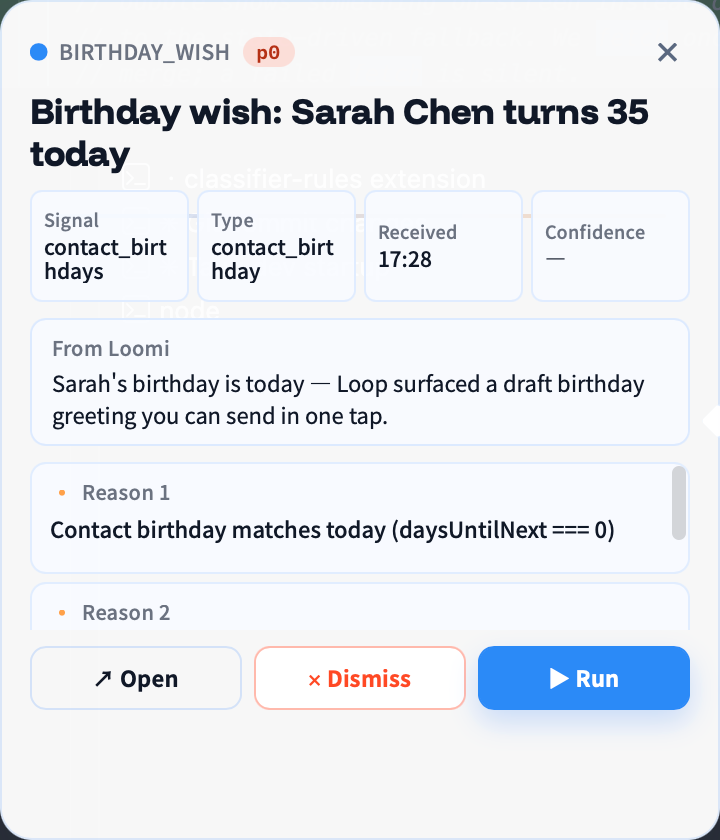
On the very next tick:
- The classifier sees a "User-defined types" block listing
birthday_wishalongside the built-ins, with a clear note that it routes toemail_reply— so it can decide "this is a birthday wish" the same way it decides "this is an email reply". - The expected-toolkits list picks up
stripe, and a new "User-defined channels" block in the prompt tells the agent what shape the Stripe records will have ({id, amount, status, customer}) so it can name and prioritise them correctly. - The "User-defined classifier rules" block lists
force_birthday_todayas a hard constraint — the agent writes decisions honouring the rule on first pass, and the server-side post-processor pins anything the LLM drifted on. - The watcher throttles each custom channel independently via
lastPolledAtinsyncState.json, so an aggressivepollIntervalSecon one channel can't starve the others. - The decision-card UI (in the main OpenLoomi window, in the Attention Agent bubble, and in the pet card surface) automatically picks up the custom
labelandicon— no client change required.
💡 Scope is per-user, not per-workspace. Custom types, channels, and classifier rules live in your local
~/.openloomi/loop/directory and do not sync to teammates. If you want to share an extension, copy the JSON file to another machine.
Relationship to the Legacy openloomi-loop Skill
If you've read OpenLoomi's open-source skill docs before, you may have seen a skill called openloomi-loop. Its core idea (turn scattered signals into decision cards, wait for user approval, then execute) is exactly the same as the Loop above — the new Loop is just integrated into the OpenLoomi desktop app, so you no longer run claude -p and loop web manually.
The legacy openloomi-loop skill (Apache 2.0) is still there for users who don't want the desktop app and just want a CLI-runnable Loop. The decision-card schema and interfaces are compatible between the two.
Surfaces
Beyond pushing decision cards, Loop ships three concrete surfaces where its judgement shows up — each one targeted at a different moment of the day.
Daily Brief
A morning rollup at the /brief route. It gathers the day's calendar, the emails that need your reply, the GitHub items you're tagged in, and any open decision cards, and lays them out as a single page. OpenLoomi calls this from your morning scheduled job (scheduled-jobs.mdx) and renders it through components/agent/brief-panel.tsx. You can also open /brief directly to read the latest rollup.
Evening Wrap
An evening recap at the /wrap route. It lists what Loop actually handled on your behalf during the day — emails sent, RSVPs accepted, replies posted — and what it parked for tomorrow. The data is pulled from the loop.wrap.* API and rendered through app/(chat)/wrap/page.tsx.
Approvals and dry-run
Every decision card goes through components/loop/dry-run-preview.tsx before it can execute. The dry-run lays out the proposed action in full, marks outbound actions with a red "⚠ OUTBOUND" warning, and waits for your Approve tap. Only then does Loop call the matching OpenLoomi connector and actually send.
If you tap Edit Draft, you jump into Chat in the main OpenLoomi window with the draft loaded. Refine it with OpenLoomi ("make paragraph three shorter"), and once it looks right, tap Approve to execute. The result is written back into OpenLoomi memory so future context is sharper.
Scheduled jobs behind the scenes
Both the morning briefing and the evening recap are themselves scheduled jobs running through /scheduled-jobs. Loop's tick is also a job — every 10 minutes, an internal job fires the judgement pass. If your day starts at a different time, edit the morning/evening schedules in Settings → Loop and the next tick will pick them up.
See Tasks for the full cron / interval / once schedule types and how to write your own Loop-style jobs.
What gets logged
Every Loop tick, judgement, and execution lands in Audit Logs. You'll see the source event, the typed action, the confidence score, and (for executed cards) the outbound request and result. If a card disappears or executes unexpectedly, audit is the first place to look.
FAQ
Will Loop secretly send emails on my behalf?
No. Any outbound action (send email, RSVP, reply on Slack, comment on GitHub) must wait for your Approve. Loop only ever does "look, think, push card" — it never executes autonomously.
Can I let Loop auto-execute certain card types?
Yes — but off by default. In Settings → Loop → Automation Rules, you can configure rules like:
- e.g. for
email_replycards, if confidence ≥ 0.90 AND sender is on the trusted list → auto-send - We recommend only enabling auto-execute for low-risk actions (like marking a Linear ticket as done)
Will Loop slow down my computer?
Loop is low-frequency and lightweight. One tick every 10 minutes, each lasting only a few seconds. It doesn't hog CPU or memory, and doesn't drain battery — OpenLoomi's connectors already do incremental sync, so Loop only reads and judges.
What's the relationship between Loop and the Attention Agent?
- Loop is the judgement engine in the background, turning scattered signals into decision cards.
- The Attention Agent (Loomi) is the little fox on your desktop, putting Loop's results in front of your eyes.
The morning "Today's To-Do" and evening "Today's Done" come from Loop — but the actual bubble that pops up in the corner of your screen is pushed by Loomi. Learn more about the Attention Agent →
What's the relationship between Loop and Chat?
If you tap "📝 Edit Draft" on a decision card, you jump straight into Chat in the main OpenLoomi window — you can chat with OpenLoomi to say "make paragraph three shorter" and it'll redraft the card; once it looks right, tap Approve to execute. Learn more about Chat →
Can I add my own kinds of decision cards or new signal sources?
Yes. Loop exposes three per-user extension points — custom decision types (a new card label + icon, routed to one of the 14 built-in action runners), custom channels (a Composio-backed signal source like Stripe or Linear), and classifier rules (deterministic overrides that pin type / actionKind / a confidence floor when a signal's payload matches a small safe AST of predicates). You can register them through the openloomi-loop skill in plain English ("register a loop type called birthday_wish for birthday greetings", "always route same-day birthdays to birthday_wish") or via the /api/loop/types, /api/loop/channels, and /api/loop/classifier-rules HTTP endpoints. State is stored locally in ~/.openloomi/loop/custom-{types,channels,classifier-rules}.json and applies to the very next tick — no rebuild needed. See the Extending Loop section above for the full design, the API reference, and a worked curl example.
Related
- Attention Agent — the Loomi widget that surfaces Loop's decision cards
- Memory — the holistic context Loop reads from and writes to
- Connectors — the signal sources that feed Loop's tick
- Automation — schedule the brief, wrap, and tick jobs
- Chat — where Edit Draft hands off into the OpenLoomi chat
- Privacy & Security — where every Loop tick is recorded
- Skills — the legacy
openloomi-loopskill interface